

Wuthering Waves for PC
Wuthering Waves is an anime-themed open-world action RPG set in a post-apocalyptic world.Updated April 6, 2026
Wuthering Waves PC Details
| Category | Action |
| Author | HK KURO GAMES LIMITED |
| Version | 3.2.1 |
| Installations | 16025738 |
| Size | 1.7 GB |
| What's New | New Content in Wuthering Waves Version 3.2: Resolution to Illuminate the Shadows After maintenance is completed, please re-install the game via the corresponding link to experience the updates. [New Resonator] 5-Star Resonator: Sigrika (Aero/Gauntlets) ※Obtainable through the [When the Runes Glitter] Featured Resonator Convene. [New Weapon] 5-Star Weapon: Solsworn Ciphers (Gauntlets) ※Obtainable through the [Solsworn Ciphers] Featured Weapon Convene. |
Wuthering Waves for PC Screenshots

Discover Your Next Favorite Adventure
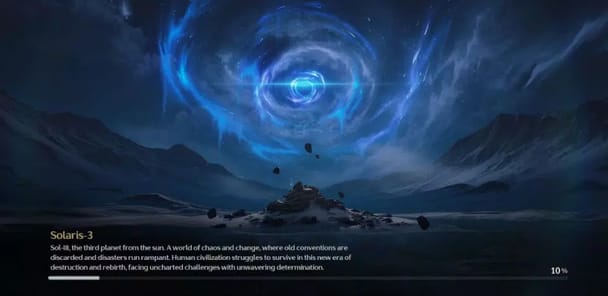
Are you looking for a new world to explore? Wuthering Waves has become a favorite game for many people. It is known for its beautiful graphics, exciting story, and fun gameplay. The game has grown a lot since it first came out. New updates bring fresh characters, music, and story chapters that keep the adventure going.
From the very beginning, Wuthering Waves draws you in with its detailed world. It offers a top-tier experience on mobile devices and more. If you enjoy action-packed games with a deep story, this is one you should check out.
Dive Into Thrilling Combat and Exploration
A Superior Combat System
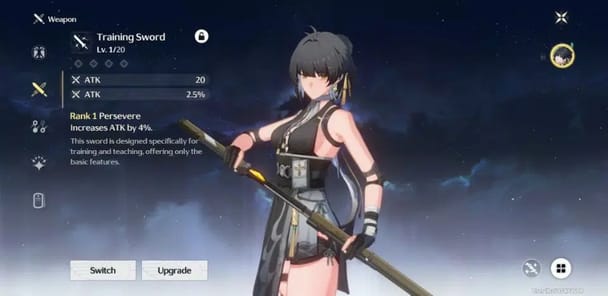
The combat in Wuthering Waves is one of its best features. It is fast, fluid, and feels amazing to play. The gameplay is considered top-tier, especially once you learn special moves like the "quick swap" technique. This allows you to switch between characters smoothly to create powerful combos. The action is a big step up from other games in the genre.
A World Worth Exploring
Exploring the world is just as fun as the combat. You will find interesting puzzles and secrets hidden everywhere. Getting the resources you need does not feel like a boring chore. This makes your journey through the world of Wuthering Waves feel more like a grand adventure and less like a to-do list.
An Ever-Evolving and Epic Story
The story in Wuthering Waves is a real highlight. Recent updates have made the writing truly incredible. The main story quests are well-paced and can leave you with a powerful feeling after you finish them. While the story gets amazing, some of the dialogue can feel a little stiff due to its word choice. There are also moments where the animations outside of big scenes could be more fluid and impactful to match the high-quality action.
A Rewarding Experience for All
Wuthering Waves has a reputation for being a game that listens to its community. The developers seem to care about making the experience great. The game features a generous pity system, which helps you get the characters and weapons you want. There are also plenty of chances to earn the in-game currency, called Astrites. While the game gives a lot, it can sometimes be hard to keep up with all the new content without spending money.
Overall, Wuthering Waves is a fantastic and stable game. It runs smoothly without the lag or connection issues found in similar games. It is a wonderful adventure that is definitely worth the download.
Frequently Asked Questions
Is Wuthering Waves free to play?
Yes, Wuthering Waves is free to download and play. You can enjoy the entire game without spending any money.
What devices can I play Wuthering Waves on?
You can play Wuthering Waves on your phone and tablet. The game is also compatible with controllers for a different gameplay experience.
Is the game a large download?
Yes, the download is quite large. This is because the game is filled with so much detail, from its graphics to its expansive world.
How is the game's performance?
Wuthering Waves runs very well. However, playing for a very long time on a mobile device might cause it to get warm.
How to Install Wuthering Waves on PC
Below instructions allows you to download and install Wuthering Waves app on Windows or MAC computer using an Android emulator. The process involves:
Download APK:Downloading the Wuthering Waves APK file by choosing a version.
Install Android Emulator:There are a number of Android emulators the internet. Choose a emulator that works better with your PC. Now, download and install the Android emulator software.
Run the Emulator:Open the emulator you have just installed and configure the settings such as display, keywords, mouse etc.
Install Gene:Open the downloaded Wuthering Waves APK file using the emulator, which will install Wuthering Waves on Windows or MAC.